Help & FAQ
Everything you need to book a professional who comes to you — at home, in your Airbnb, hotel or venue — and what happens on the day.
How to book
It takes about two minutes and you don't need an account.
1Search by area and service
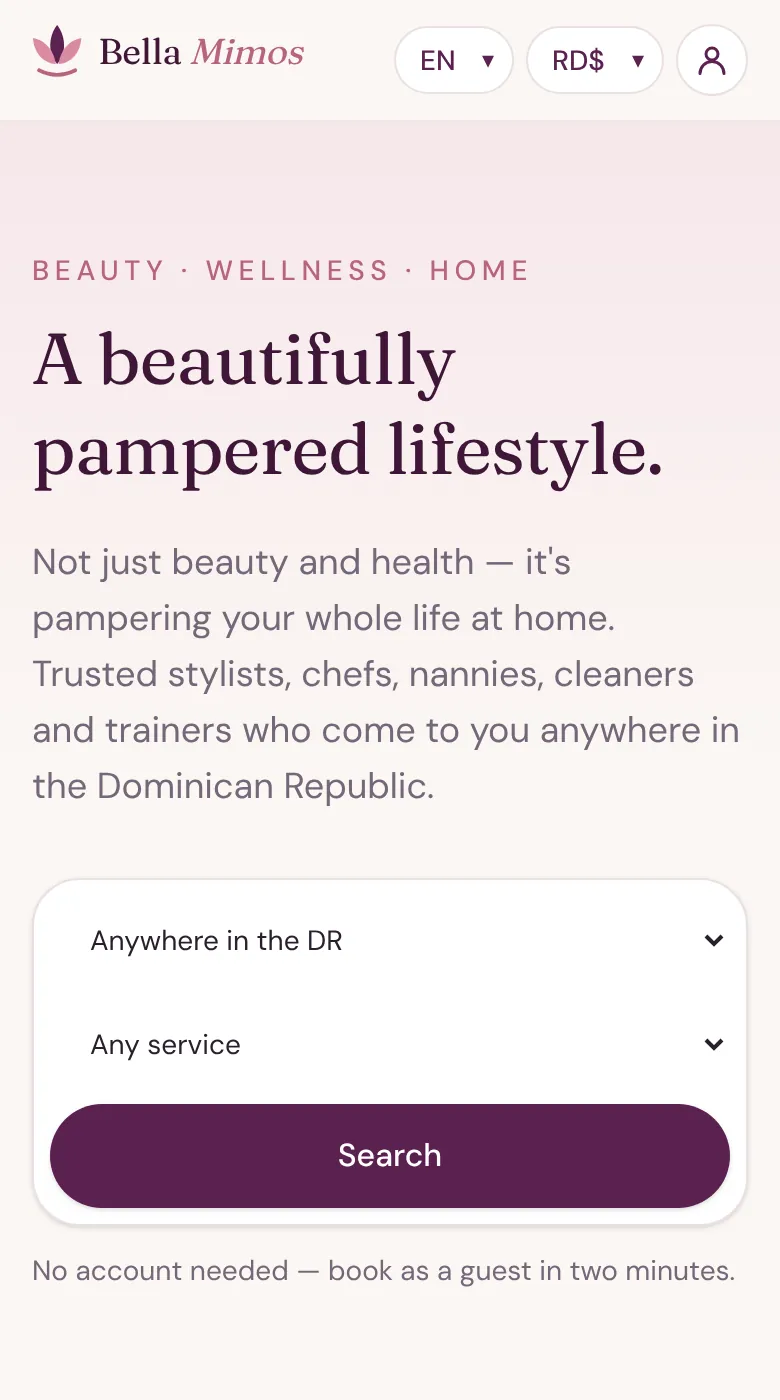
- On the home page choose where you are and what you'd like, then tap Search.
- Or tap any service tile — Hair, Nails, Private chef, Home cleaning…
- Use the EN / RD$ buttons at the top to change language or currency at any time.
2Compare professionals
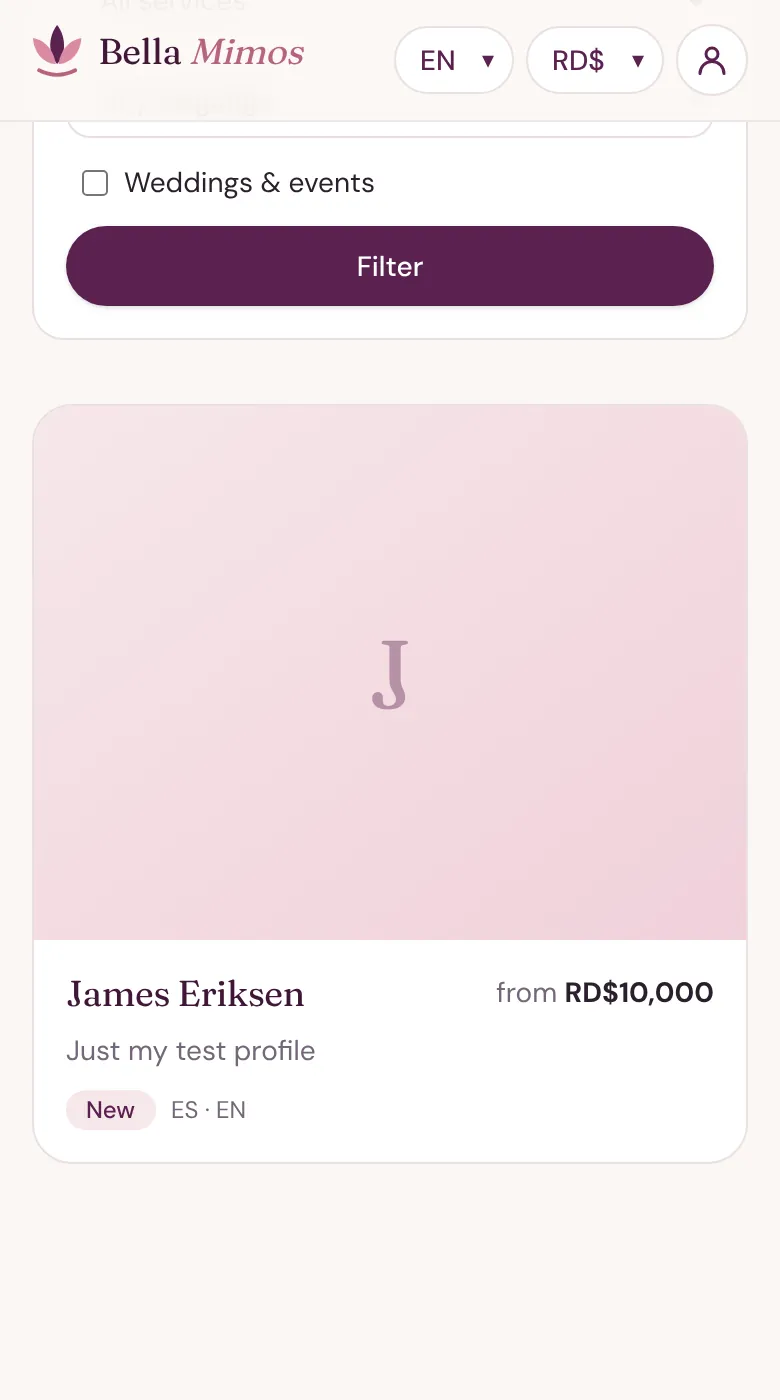
- Narrow the list by area, service and the language you'd like them to speak.
- Planning a wedding or party? Tick Weddings & events.
- Each card shows the starting price, languages and reviews.
3Open their profile
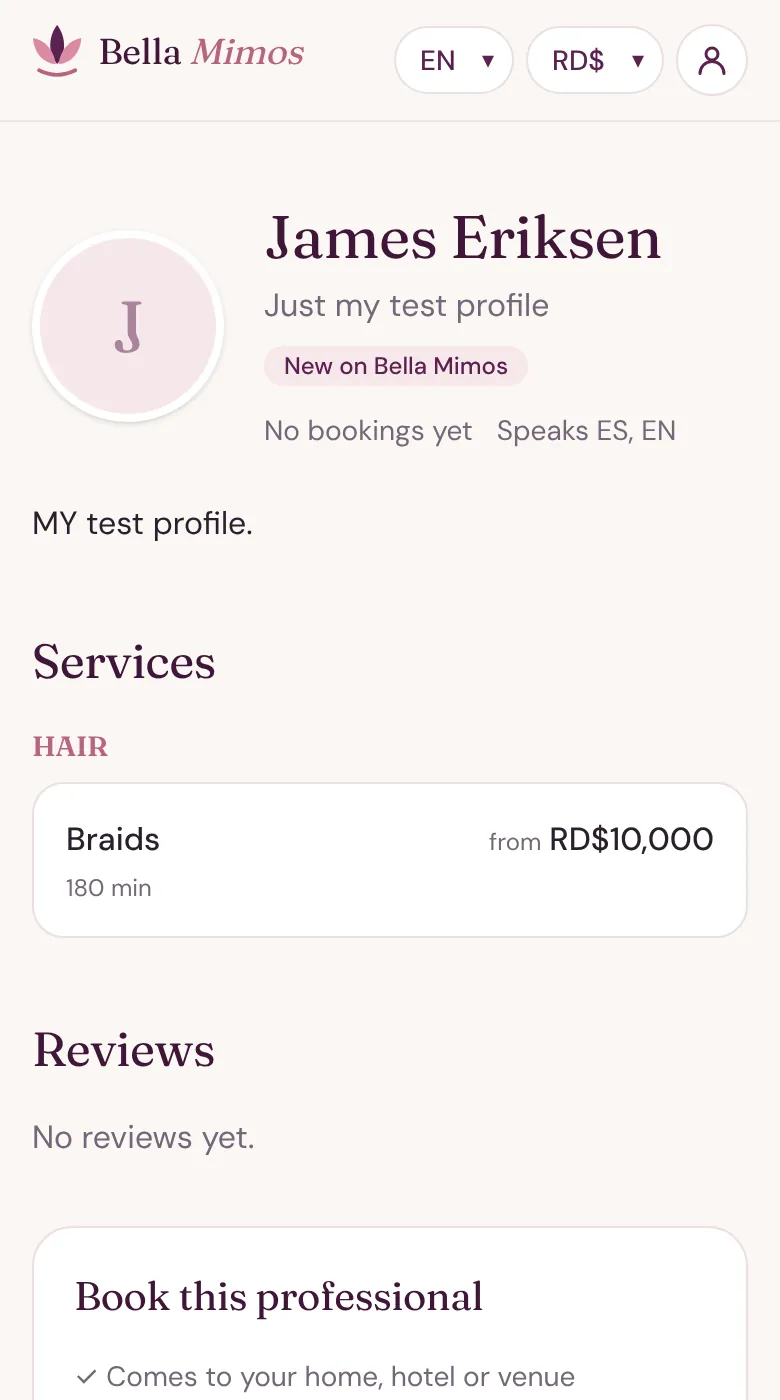
- See their services with duration and price, reviews, and whether transport is included.
- Tap Choose services & time when you're ready.
4Choose services and a time
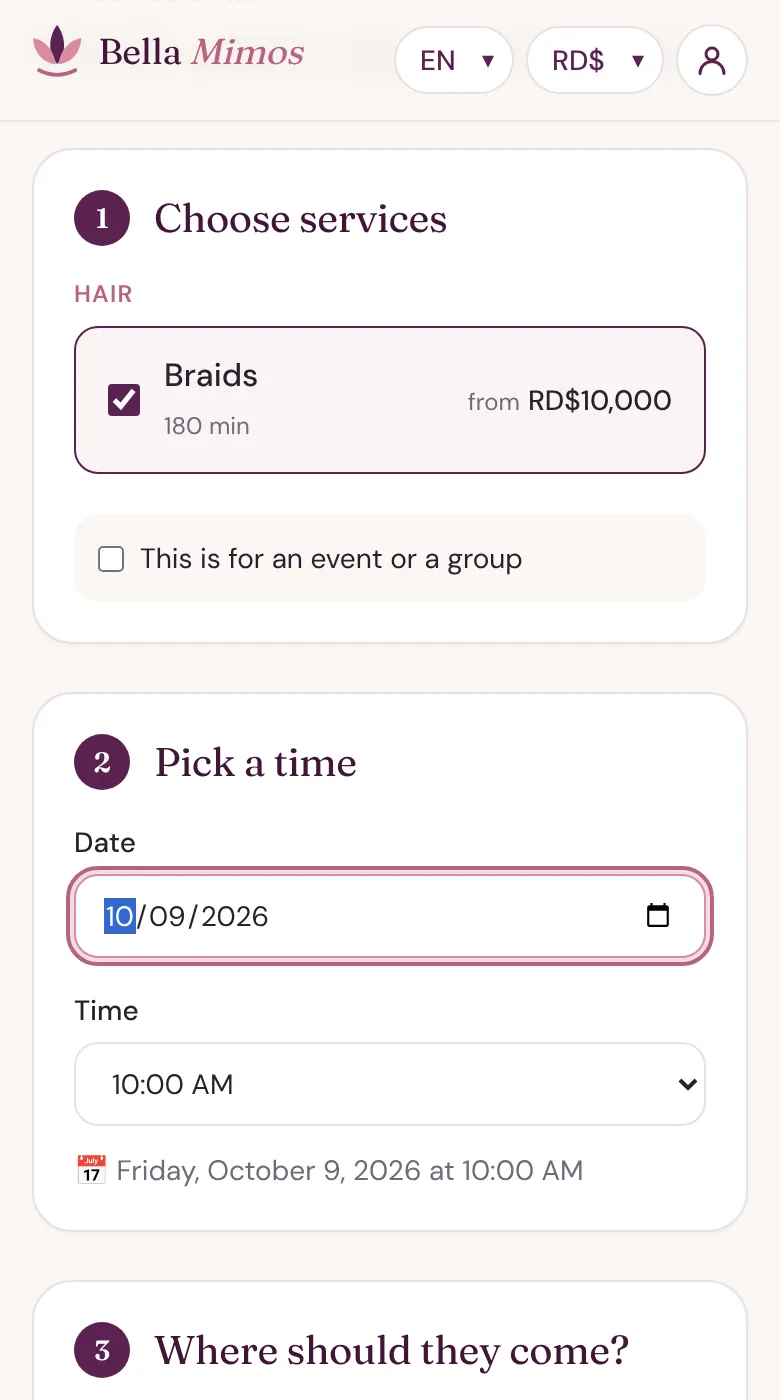
- Tick one or more services. For a group or event, tick This is for an event or a group and enter how many people.
- With a chef who teaches, tick I'd like to learn and they'll show you while they cook.
- Pick a date, then choose a time from the Time list — it only shows the times your professional is free.
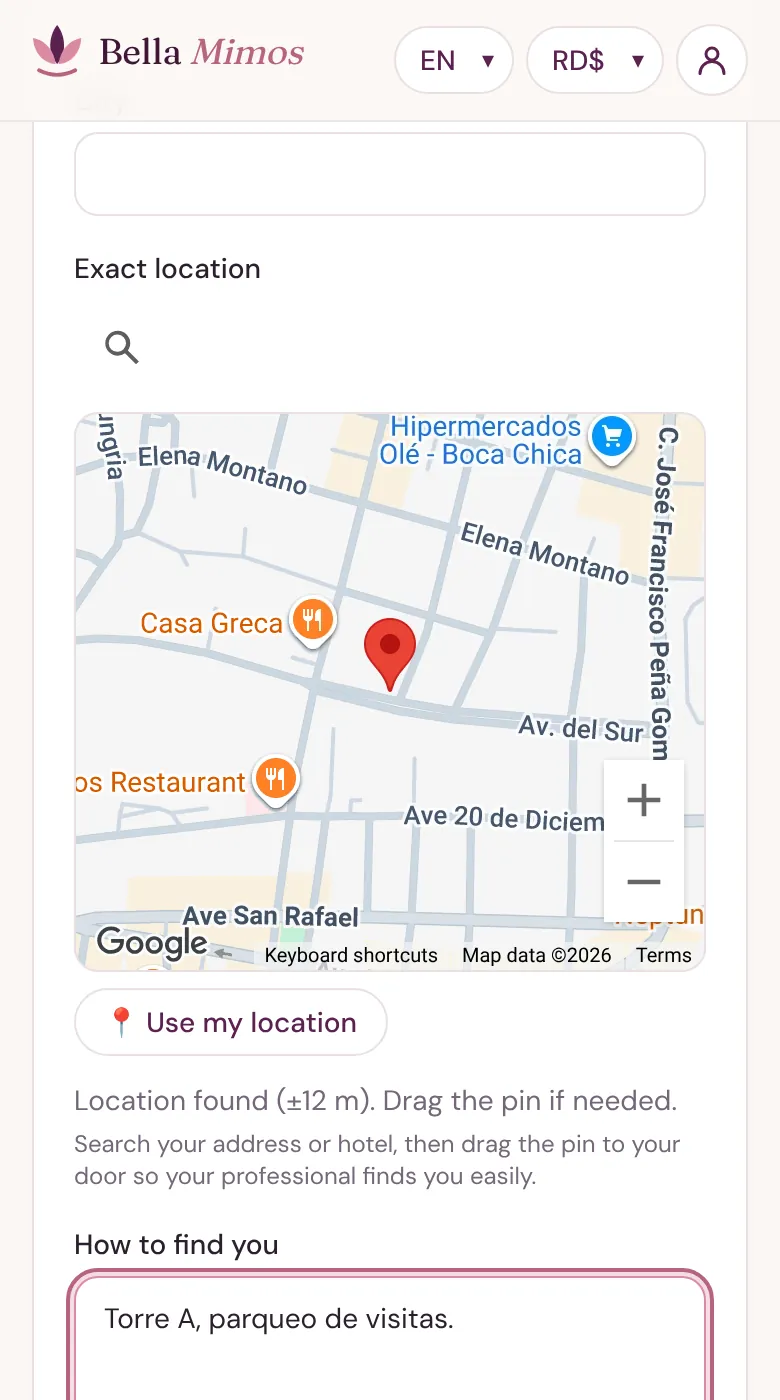
5Tell them where to come
- Type the address with tower and apartment, or the hotel and room.
- Search your address or hotel on the map, then drag the pin to your door — or tap Use my location.
- Add arrival tips (gate code, parking, who to ask for) and how they should contact you when they arrive.
- Staying at a villa, beach or resort? Turn on Share my live location with the professional.
6Your details and updates
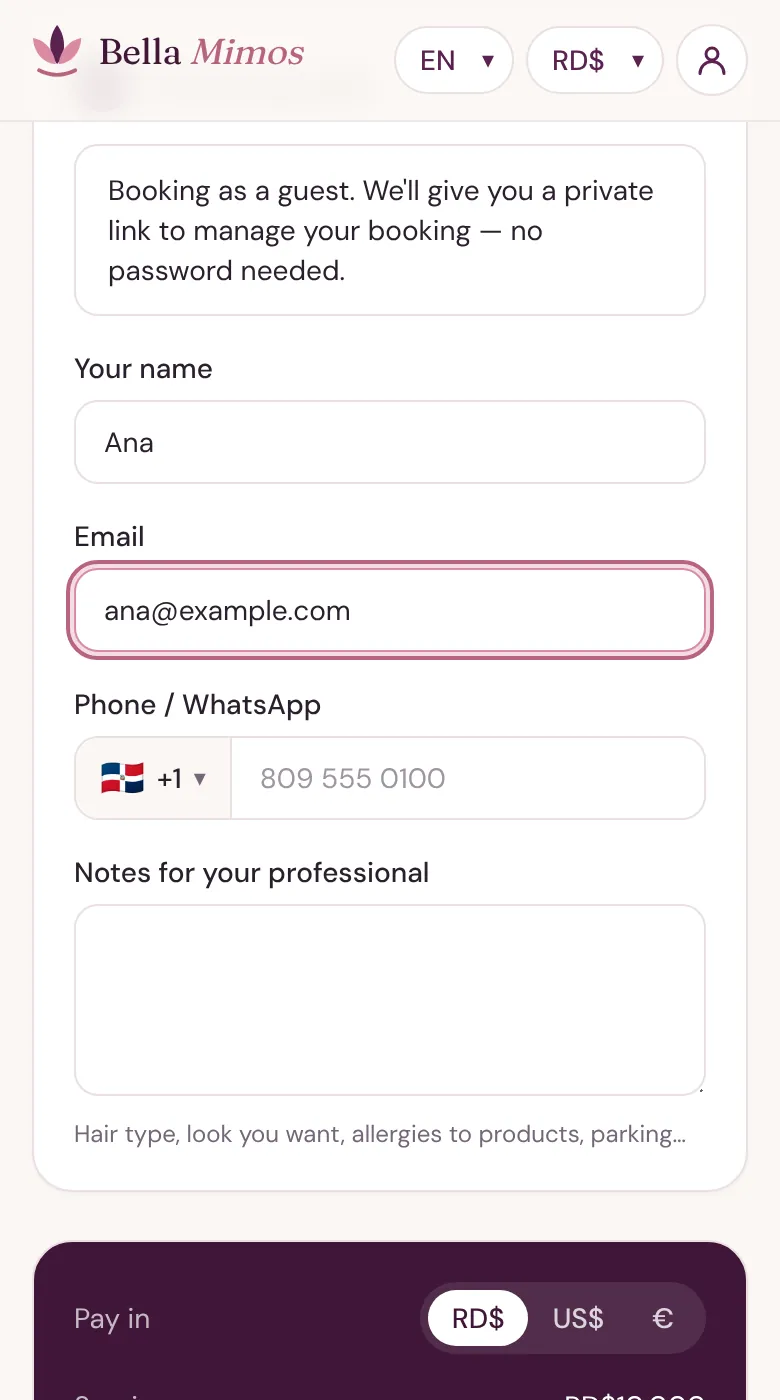
- Booking as a guest: add your name and an email or phone number. You'll get a private link to manage the booking — no password.
- Signed in? Your details, saved places and credits are filled in for you.
- Choose SMS or WhatsApp for booking updates, and add any notes for your professional (hair type, allergies, the look you want…).
7Check the total and pay
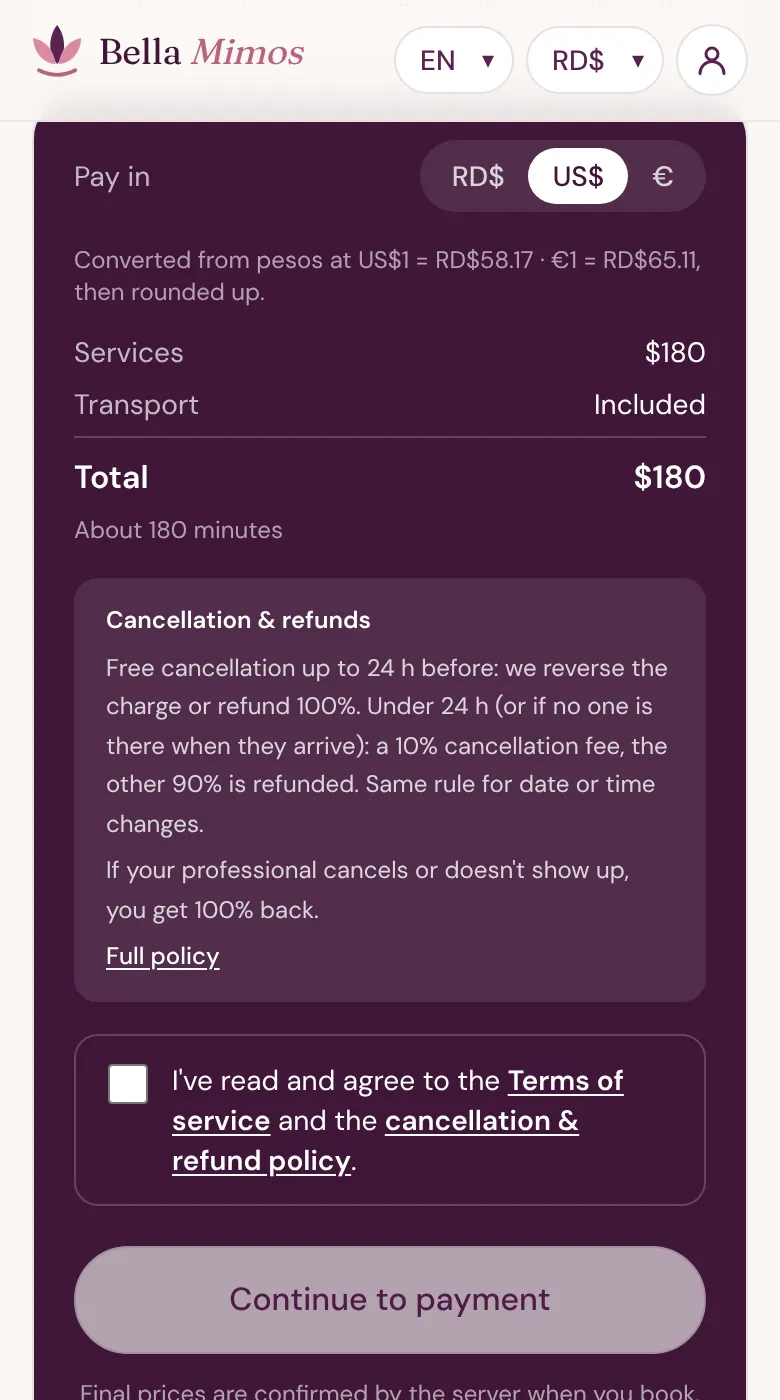
- Choose to pay in RD$, US$ or €. Amounts in US$ or € are converted from pesos at the rate shown, then rounded up.
- The total shows services plus transport, if any.
- Tick the box to accept the Terms and cancellation policy (summarised just above the button), then tap Continue to payment and pay securely on the payment provider's page. Bella Mimos never sees or stores your card.
After you book and on the day
Your booking has a code like BM-1A2B3C. Guests manage it from their private link (we also send it in your updates); with an account it's under My bookings.
Confirmation
Your professional accepts the request — or it's confirmed straight away if they offer instant booking. You'll get an update by SMS, WhatsApp or email.
Chat and inspiration
Message your professional from the booking page. Messages also arrive on WhatsApp from the Bella Mimos number, so nobody sees the other's personal phone.
Signed in? You can share inspiration photos that only your professional can see.
On the way and arrival
You can follow when they're on the way. When they arrive, tap Yes, they're here.
If it's been more than 30 minutes and they haven't arrived or contacted you, tap Report a no-show — we'll refund you.
When it's done
Your professional marks the service as done. Confirm it, or use Report a problem if something went wrong.
Then leave a tip if you like — online or in cash, 100% goes to your professional — and a review with photos or a video.
What the booking status means
You'll see one of these on your booking:
- Awaiting payment
- Awaiting provider
- Confirmed
- Provider on the way
- Provider arrived
- In progress
- Completed
- Under review
Frequently asked questions
Booking
Do I need an account?
No. You can book as a guest with your name and an email or phone number, and manage everything from your private link. An account lets you save places, see all your bookings in one place and earn referral credits.
Where do you work?
Professionals come to you in Baní, Barahona, Boca Chica, Bonao, Higüey, Jarabacoa / Constanza, La Romana / Casa de Campo, La Vega, Miches / Playa Esmeralda, Moca, Puerto Plata / Sosúa / Cabarete, Punta Cana / Bávaro, Río San Juan / Cabrera, Samaná / Las Terrenas, San Cristóbal, San Francisco de Macorís, San Pedro de Macorís, Santiago, and Santo Domingo. Each professional chooses the neighbourhoods they cover — if your pin is outside their area, the booking form tells you.
What services can I book?
Hair, Makeup, Nails, Beauty treatments, Private chef & cooking, Nannies & babysitting, Eldercare, Personal trainer, Yoga instructor, Pilates instructor, Swimming coach, Homeopathic & natural health, and Home cleaning. Not every service is available in every area yet; new professionals join every week.
Can I book for a wedding, party or group?
Yes. Tick Weddings & events when searching to see professionals who take events, and tick This is for an event or a group when booking to say how many people.
Can the chef teach me?
If the chef offers it, you'll see I'd like to learn next to the cooking service. Tick it and they'll teach you while they cook.
When is my booking confirmed?
When the professional accepts it, or straight away if they offer instant booking. Until then it shows Awaiting provider.
How do I change the date or time?
Open your booking and tap Change date or time, pick a new day and time, and send the request. It's free 24 hours or more before; your booking keeps its time until your professional accepts, and you'll be told either way. With less than 24 hours to go a change counts as a late cancellation (10% fee).
Prices and payment
How are prices set?
Each professional sets their own prices in Dominican pesos. “From” means the starting price; your exact total is shown before you pay.
Is transport extra?
It depends on the professional: some include it, some charge a flat fee and some charge by distance (round trip from their base to your pin). You'll see it as a separate line before you pay.
Can I pay in dollars or euros?
Yes — choose RD$, US$ or € when booking. US$ and € amounts are converted from pesos at the rate shown on the booking form and rounded up, and that is the amount charged. PayPal always charges in US dollars.
How do I pay?
Online by card or PayPal, on the payment provider's secure page. Bella Mimos never stores your card details. If online payment isn't available, your booking is saved and we contact you to complete it.
How do referral credits work?
Share your code from Refer & earn. When a friend completes their first booking, you both get credits. Credits apply automatically at checkout when you pay in RD$.
Do I need to tip?
No, tips are optional. If you tip — online or in cash after the service — 100% goes to your professional; Bella Mimos takes no commission on tips.
Changes, problems and safety
How do I cancel, and what do I get back?
Open your booking (private link or My bookings) and tap Cancel booking — you'll see exactly what you get back before confirming. 24 hours or more before: we reverse the charge or refund 100%. Less than 24 hours before, or if nobody is there when your professional arrives: a 10% cancellation fee applies and the other 90% is refunded. The same rule applies to every service, including events and private chefs. If your professional cancels or doesn't show up, you always get 100% back.
How are refunds paid?
To the card or PayPal you paid with, in the same currency, usually within 5–10 business days depending on your bank — or as Bella Mimos credits if you prefer. Credits you used are returned automatically. Questions about a refund? Write to hola@bellamimos.com with your booking code.
What if my professional doesn't show up?
If it's been more than 30 minutes and they haven't arrived or contacted you, tap Report a no-show on your booking. We'll refund you and record it on their history.
Something went wrong during the service.
When the professional marks the service as done, tap Report a problem and tell us what happened. Our team will review it with you.
Are the professionals checked?
Every professional is reviewed by our team before their profile goes live, and childcare and eldercare require a police clearance certificate. Reviews come only from real bookings.
Who sees my phone number?
Chat messages go through the Bella Mimos number, so your professional doesn't see your personal phone. If you choose a phone call or SMS on arrival, they'll use the number you give for that.
I lost my booking link.
It's in the booking updates we sent you by SMS, WhatsApp or email. Still can't find it? Write to hola@bellamimos.com with your name and the phone or email you booked with.
Still need help?
Write to us and include your booking code if you have one. We answer in Spanish, English, Italian and French.