Help for professionals
Everything you need to set up your Bella Mimos profile, take bookings and get paid. It takes about 15 minutes to get your profile ready.
Getting started
Joining is free. We only earn a commission when you complete a booking.
1Create your account
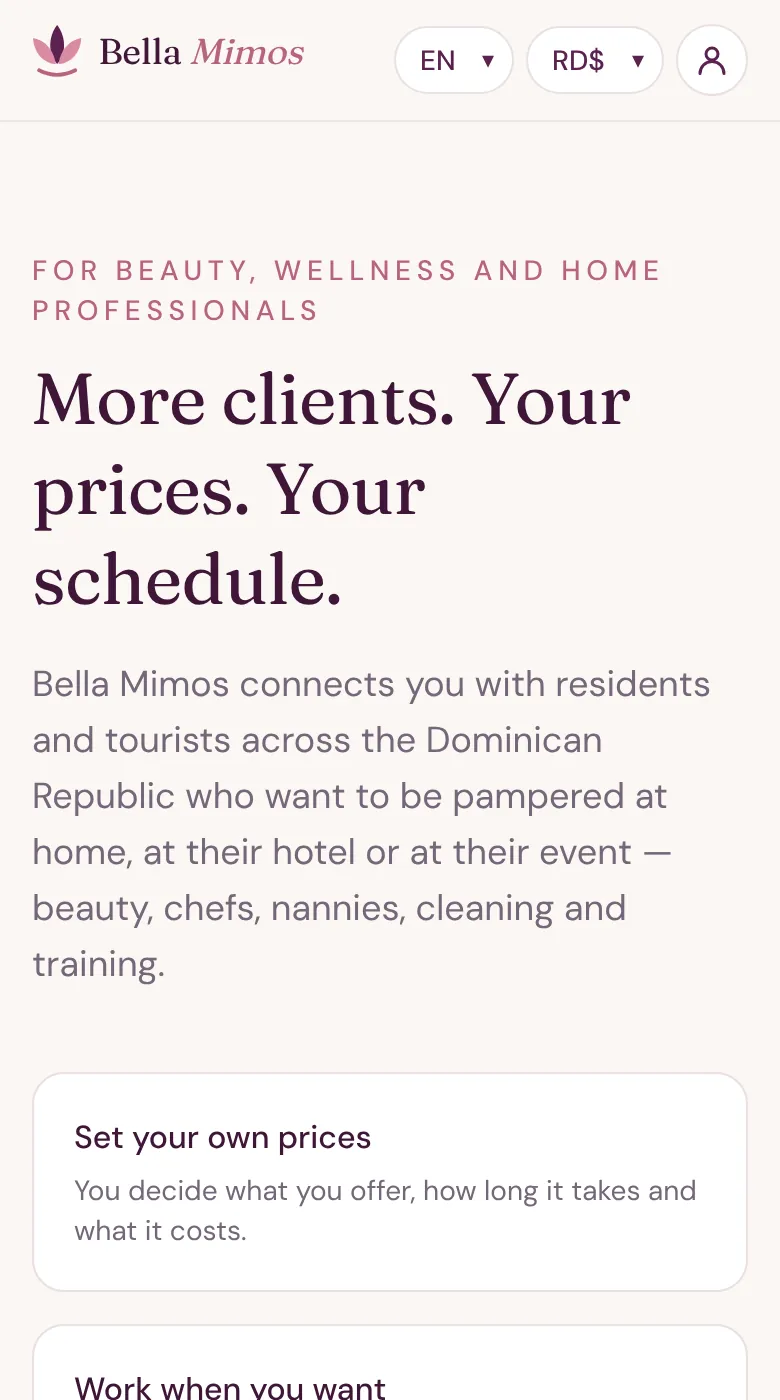
- Open the For professionals page and tap Create my professional profile.
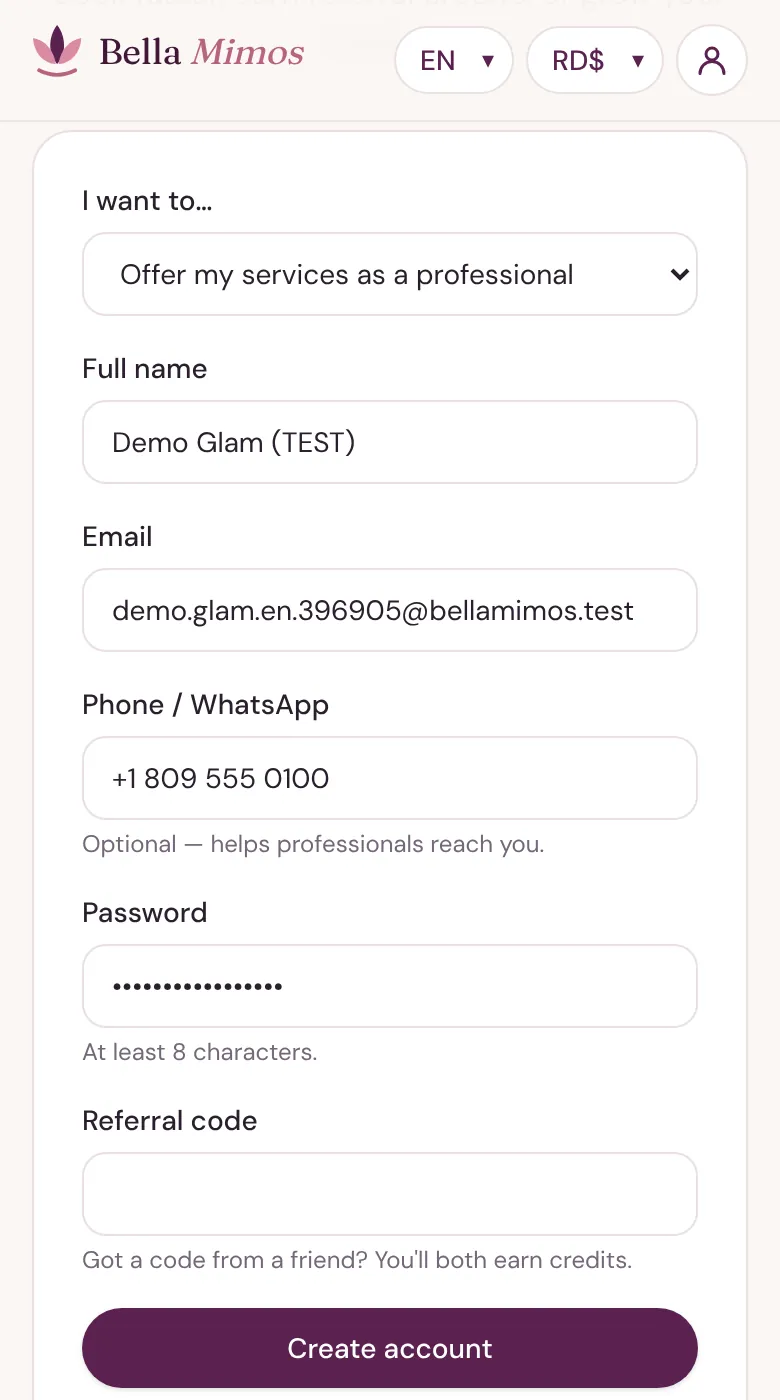
- Under I want to… choose Offer my services as a professional, then fill in your name, email, mobile number and a password (at least 8 characters).
- Tap Create account.
2Confirm your email
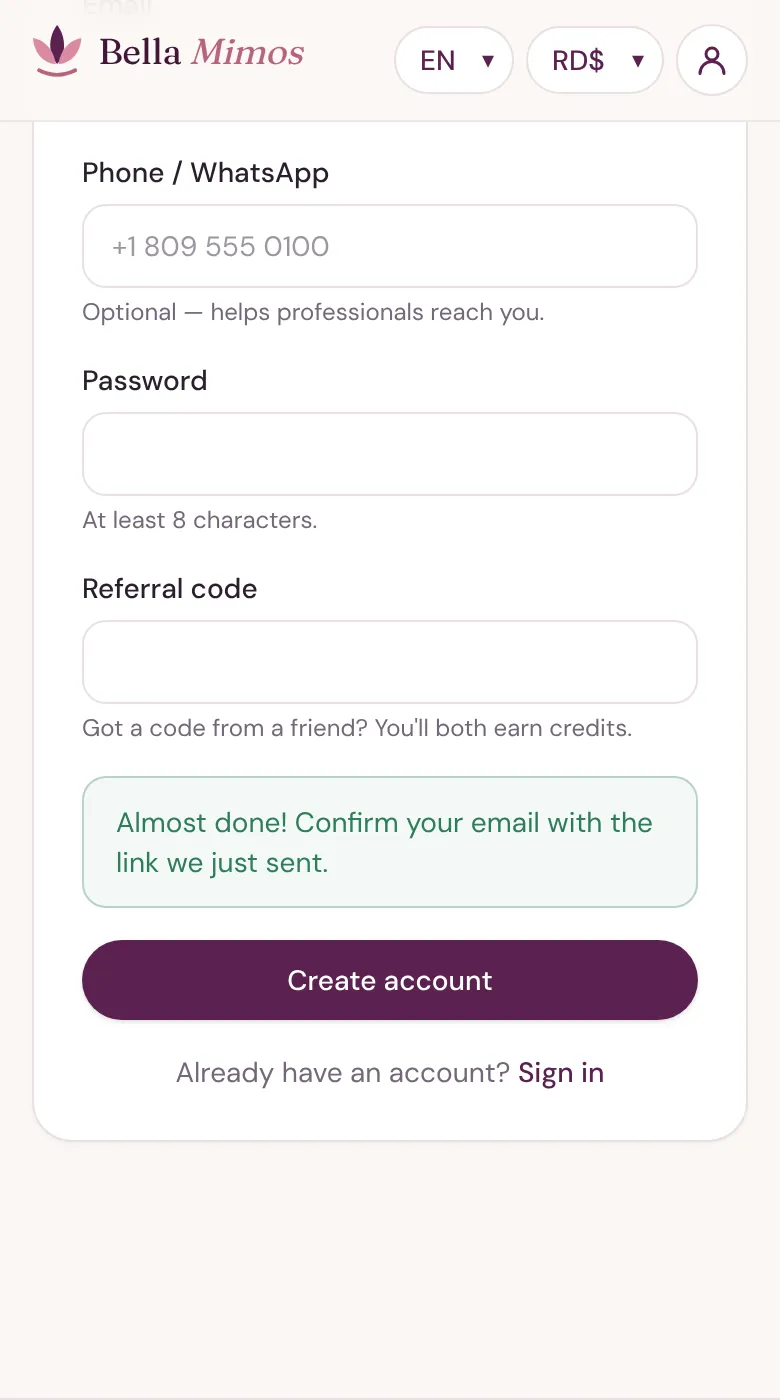
- We send you an email with a confirmation link. Tap it to open your provider portal.
- The link stays valid for at least an hour. If it has expired, go to Sign in and request a new one.
- Can't find it? Check your spam or promotions folder.
3Follow your checklist
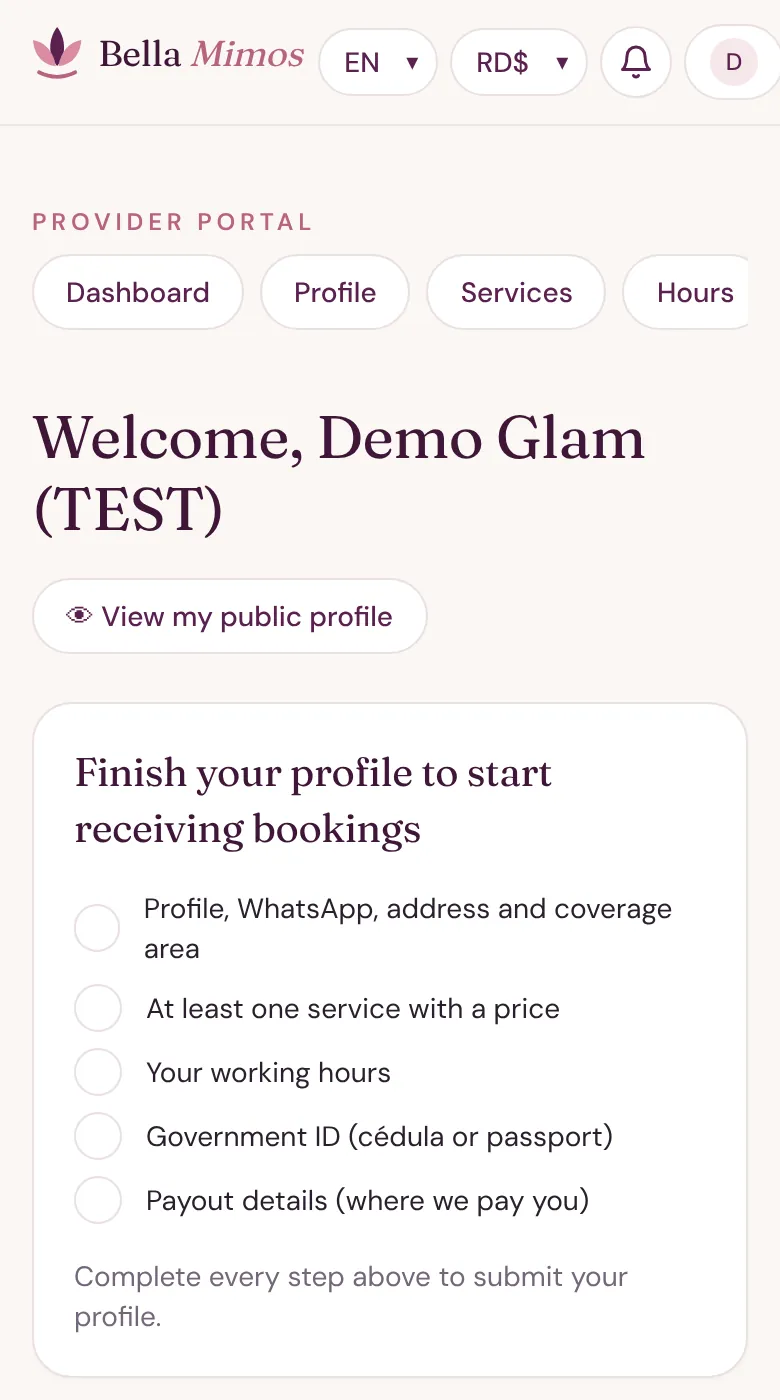
- Your Dashboard shows what's still missing: profile, WhatsApp, address and coverage area, at least one service with a price, your working hours, your government ID and your payout details.
- Each item is explained below. As soon as everything is ticked, your profile goes to our team for review.
- We check your documents and approve your profile, then you appear in search and customers can book you. We let you know when you're live.
- Nannies, babysitters and eldercare: a police clearance certificate (certificado de no antecedentes penales) is required before we can approve you.
- Homeopathy and natural health: upload a certificate of your training or qualification with your other documents.
Set up your profile
1Write it once, in Spanish
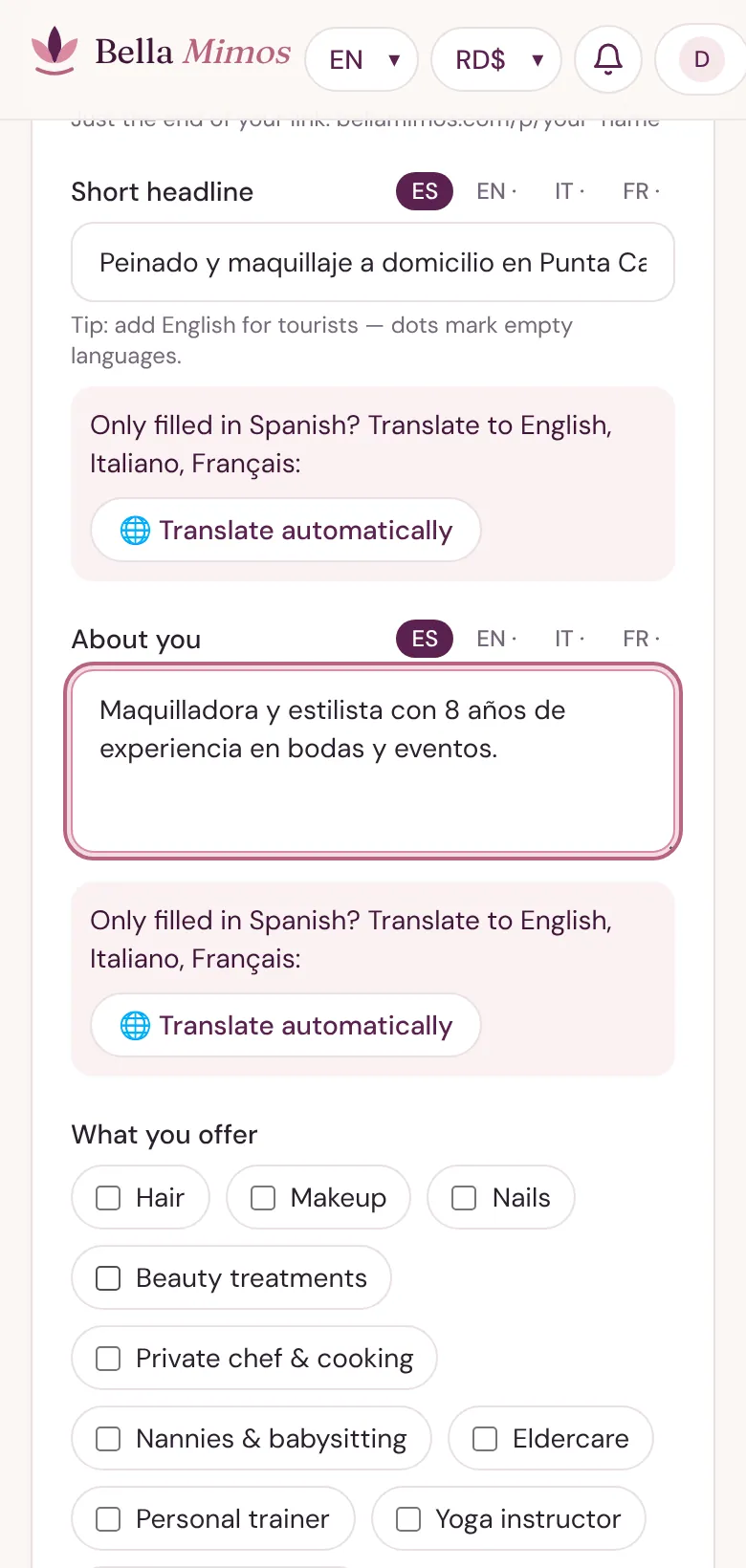
- In Profile, add your business or artist name, a short headline and a few lines about you.
- Write in Spanish, then tap Translate automatically to fill in English, Italian and French. Read each tab and fix anything that sounds odd, then tap Save.
- Tick everything you offer and the languages you speak. Tourists often book in English, Italian or French.
- Add photos of your work in Portfolio. Customers decide largely on your portfolio.
2Your phone and booking alerts
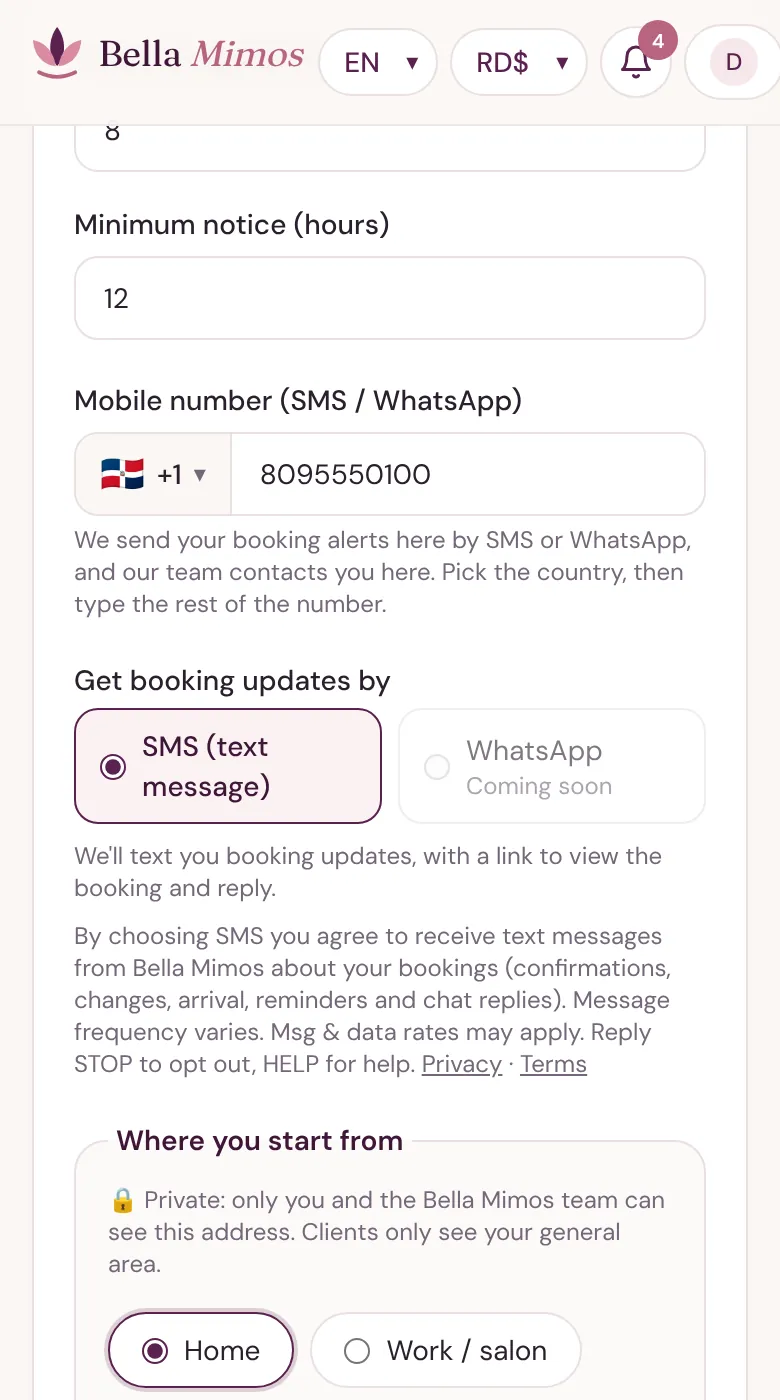
- Pick your country code from the list, then type the rest of your number. We send booking alerts there, and our team contacts you there.
- Booking updates arrive by SMS (text message), with a link to open the booking and reply. WhatsApp alerts are coming soon.
3Where you start from and where you go
- Add the address you usually leave from, and tap Use my location while you're there to drop the pin. Only you and our team see this address; customers only see your general area.
- Set how far you travel. You won't get bookings outside that circle.
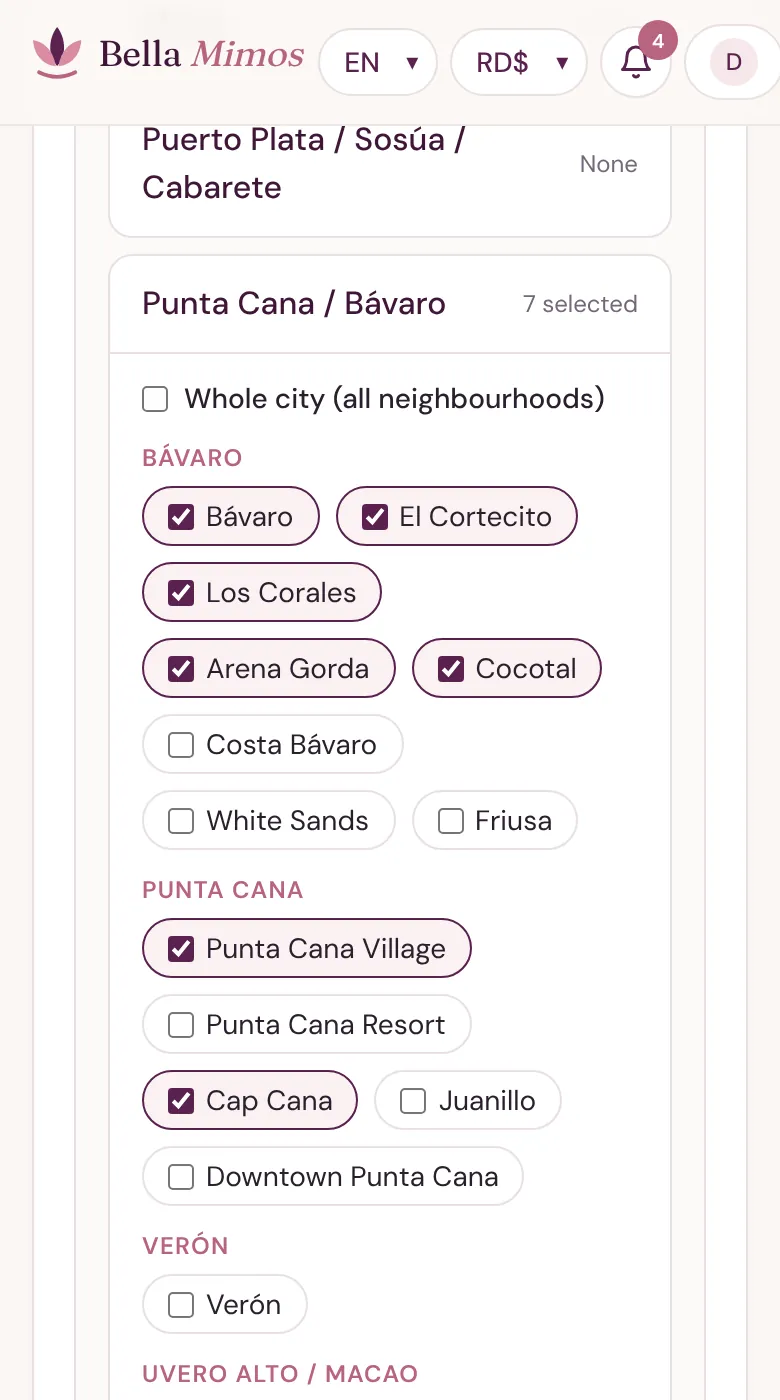
- Open each city and tick the neighbourhoods you'll travel to, or Whole city (all neighbourhoods). Customers searching there will find you.
- Your area isn't listed? Tell us and we can add it.
4Transport
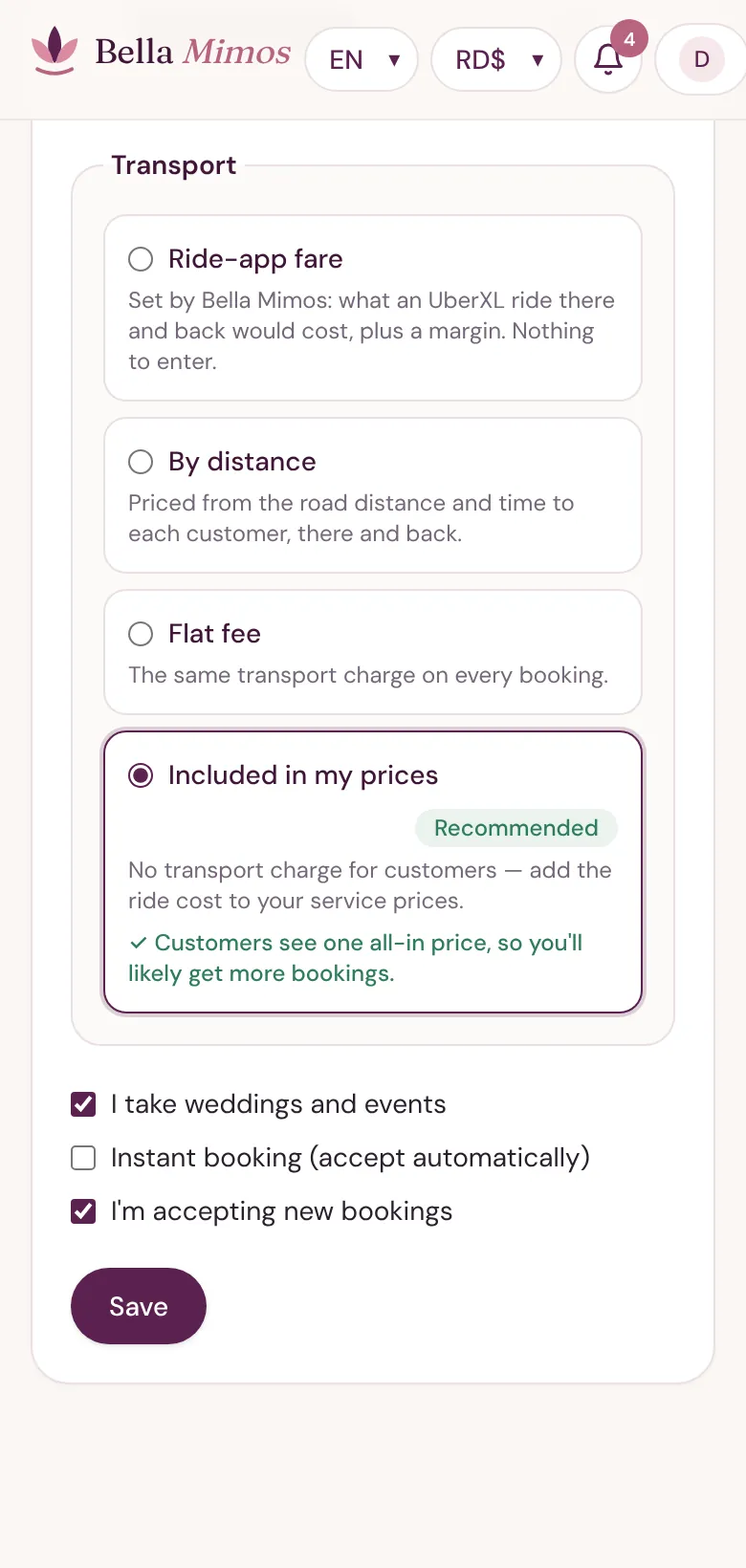
- Included in my prices (Recommended): no separate travel charge. Add the ride cost to your service prices; customers see one all-in price, so you'll likely get more bookings.
- Ride-app fare: priced like an UberXL ride there and back, plus a margin. Nothing to enter. For example, 12 km and 25 minutes away comes to RD$1,140.
- By distance: your own base fee plus a price per km and per minute, there and back, with a minimum and an optional maximum.
- Flat fee: the same amount on every booking.
- Distances are real road distance and driving time from your starting point. The customer sees the exact amount before paying, and transport is 100% yours.
5Services and prices
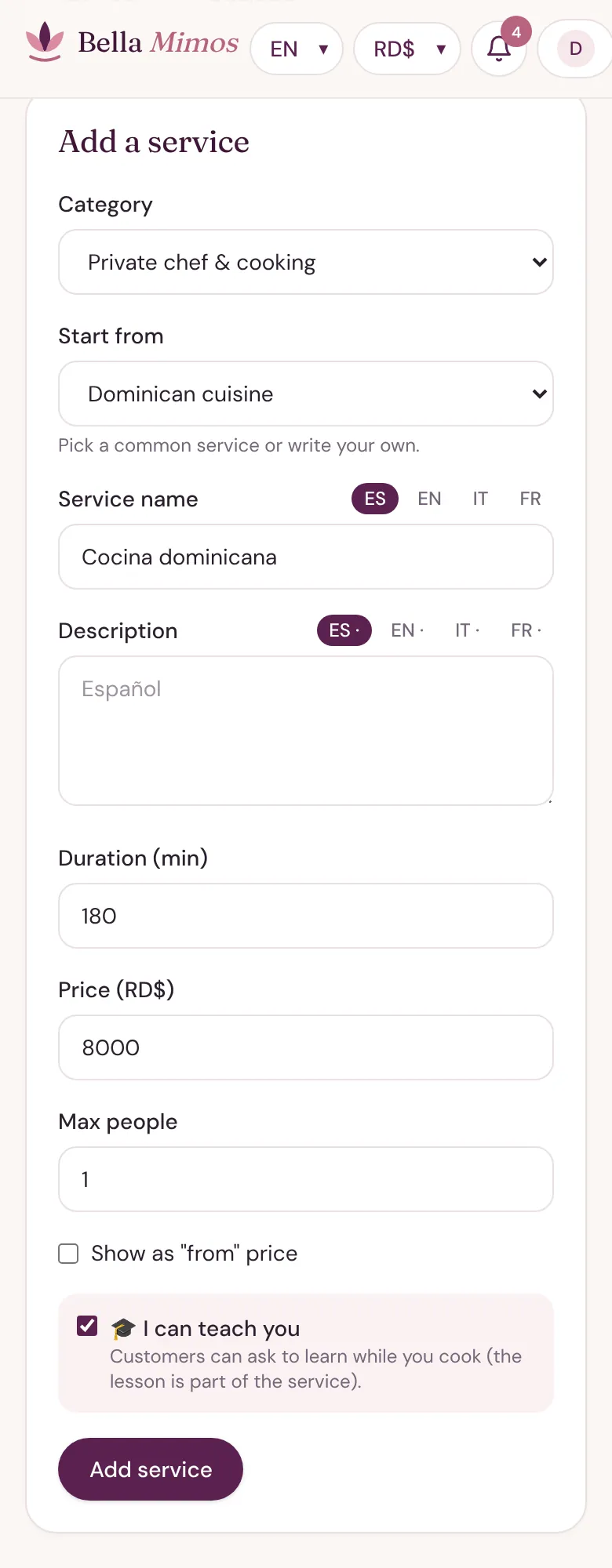
- In Services, choose a category, then start from a common service or write your own.
- Set the duration and your price in Dominican pesos (RD$). Customers can pay in pesos, US dollars or euros; we convert, and your price and earnings stay in RD$.
- Chefs: tick I can teach you on cooking services. Customers can then ask to learn while you cook, and the booking shows 🎓.
- Tap Add service. Use Hide to take a service off your profile for a while.
6Working hours
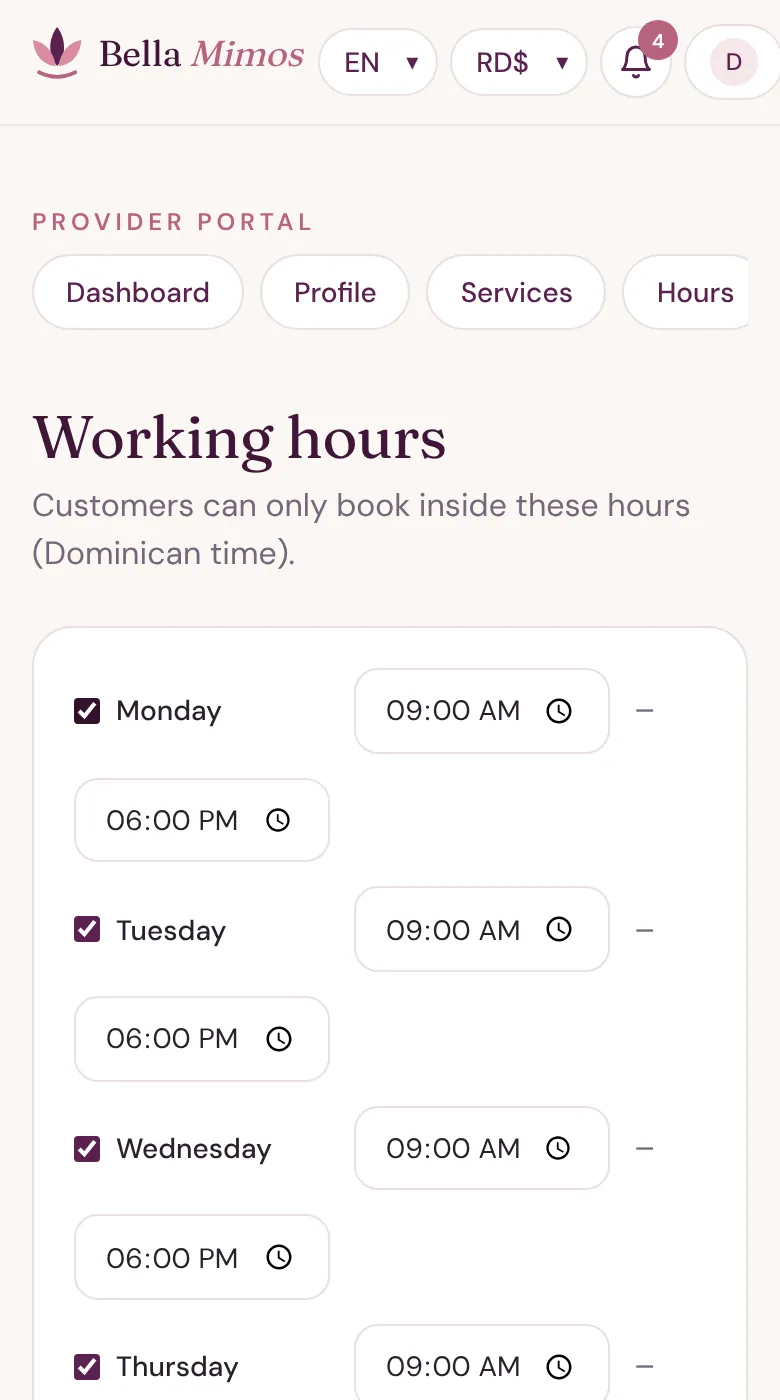
- In Hours, tick the days you work and set the times, then tap Save hours. Customers can only book inside these hours (Dominican time).
- Going away or taking a day off? Add it under Time off so nobody books a slot you can't keep.
- Leave enough time between bookings for travel. In your profile you can also set the minimum notice you need before a booking.
7ID & licences
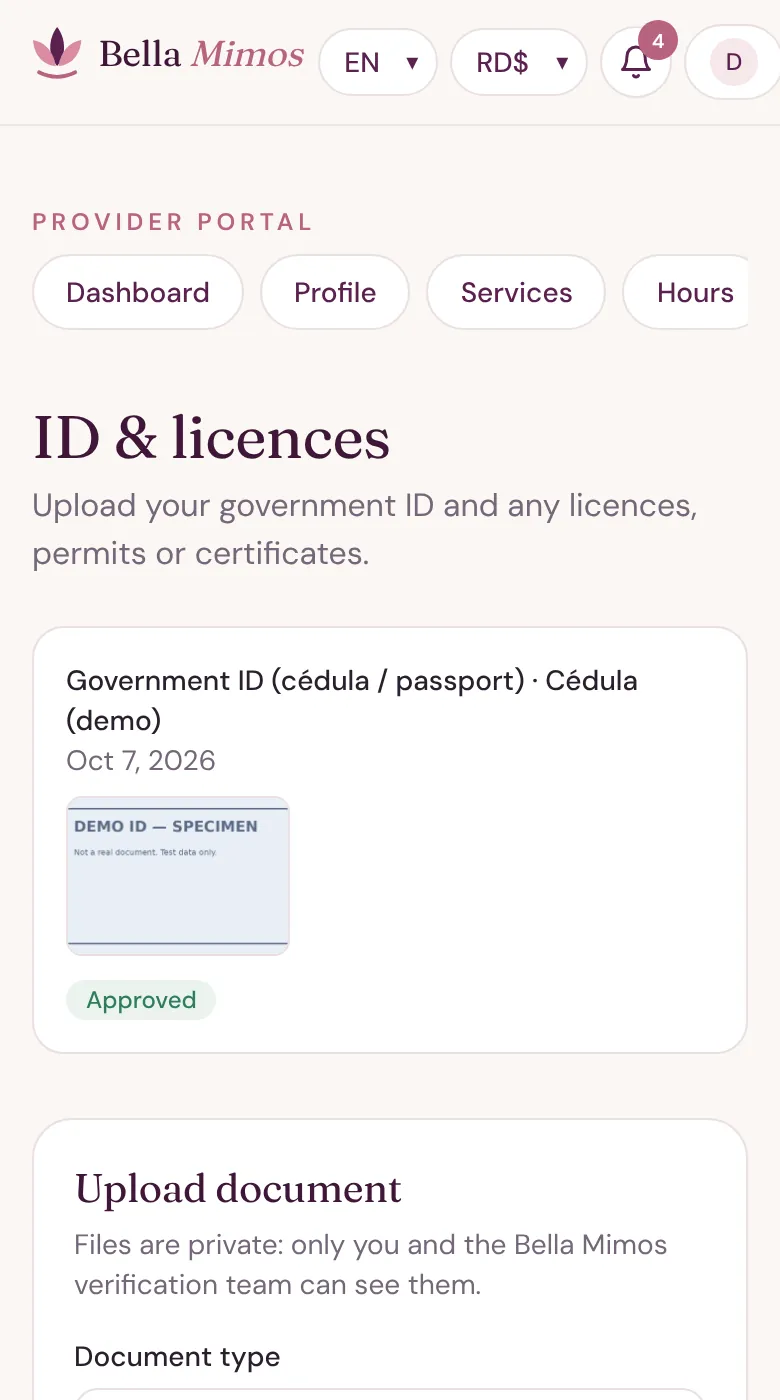
- In ID & licences, upload your cédula or passport (front and back), plus any licences, permits or certificates.
- We only keep the last 4 characters of the number. Files are private: only you and our verification team can see them.
- Each document shows its status: in review, approved or rejected (with the reason).
8Payout details
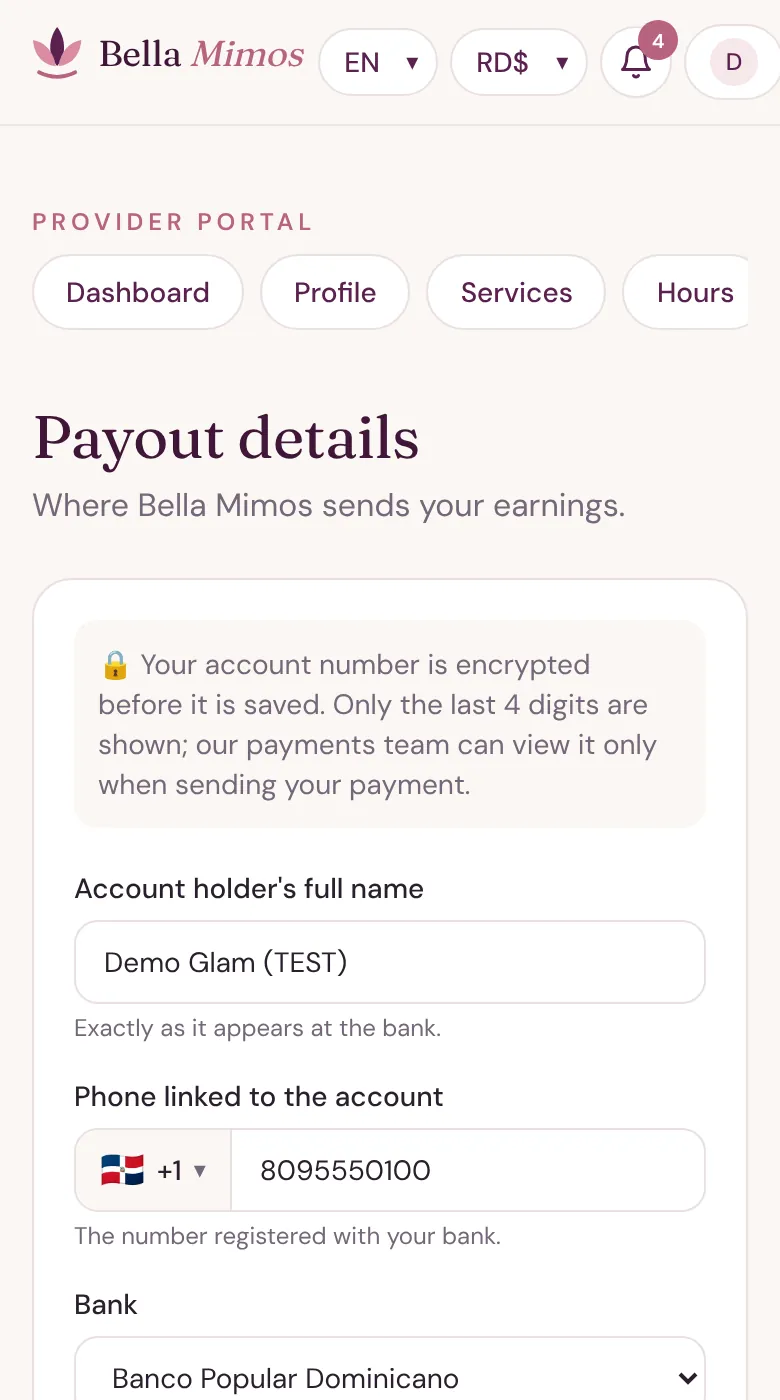
- In Payouts, add the account holder's name exactly as the bank has it, the phone linked to the account, your bank, the account type and number.
- Your account number is encrypted before it's saved. Only the last 4 digits are shown, and our payments team views it only when sending your payment.
Bookings day to day
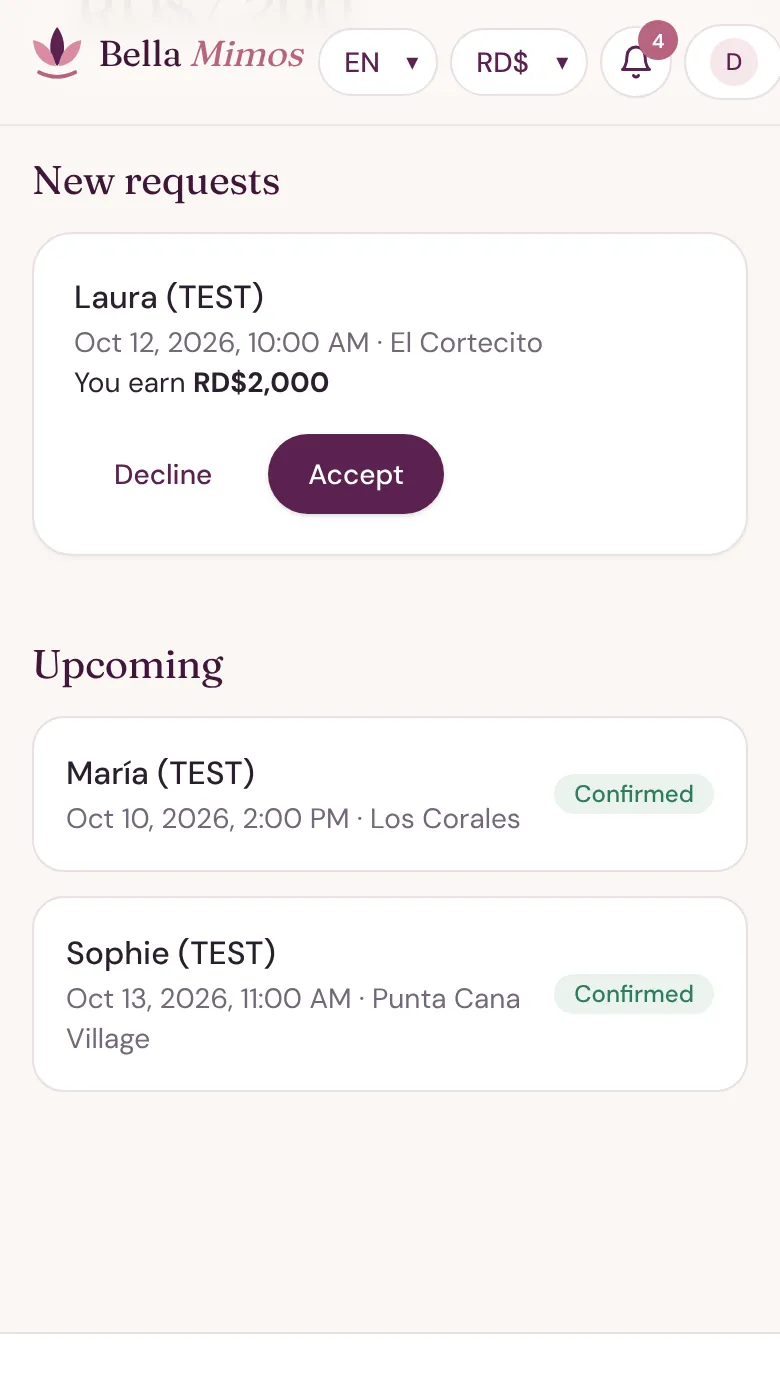
1Accept or decline requests
- New bookings reach you by text message and appear under New requests on your dashboard, with what you'll earn.
- Tap Accept or Decline. Declining a request is free. Answer quickly: customers are waiting.
- Prefer not to approve each one? Turn on Instant booking (accept automatically) in your profile.
2Everything about the booking
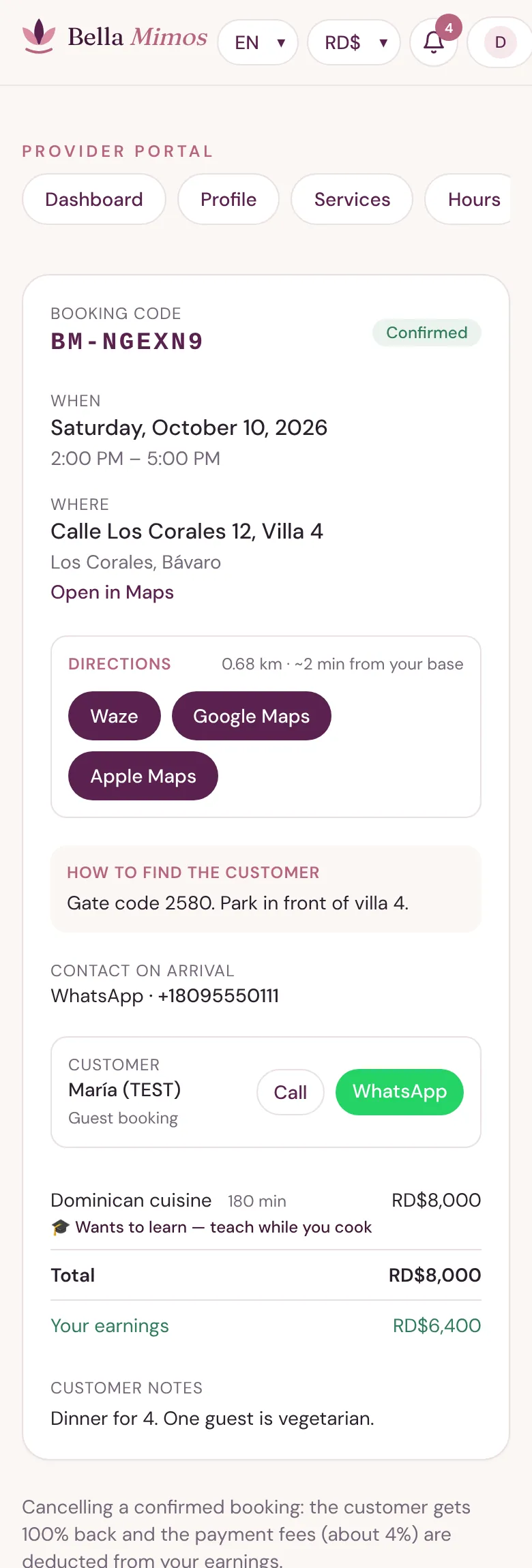
- Open a booking to see the date and time, the address with Directions in Waze, Google Maps or Apple Maps, and how to find the customer (gate code, parking, which building).
- You also see how they want to be contacted on arrival, the services and Your earnings.
- 🎓 Wants to learn — teach while you cook.
- Some customers book as guests, without an account. You handle them exactly the same way.
3On the day
- Tap I'm on my way when you leave. Use Send my location or Share live so the customer knows when you'll arrive.
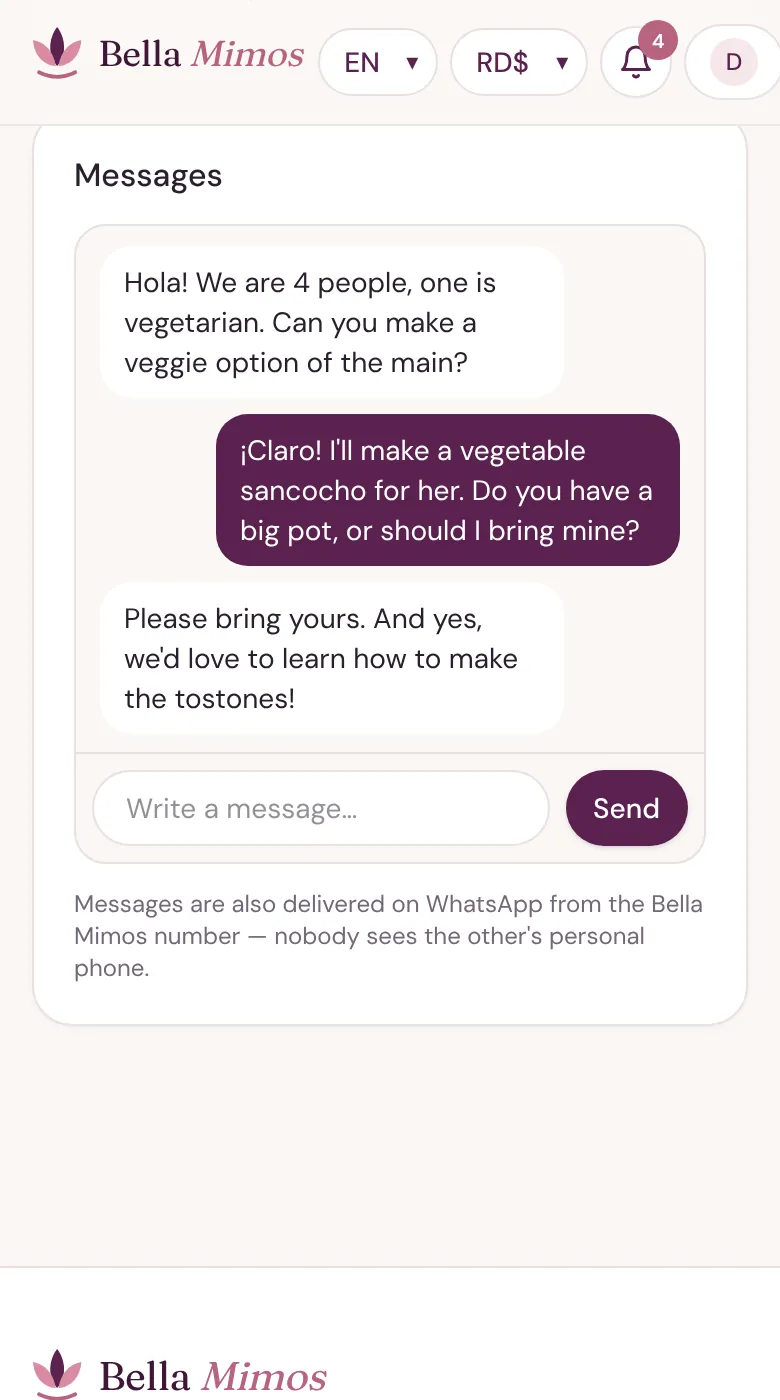
- Message the customer from the booking. Messages also reach them on WhatsApp from the Bella Mimos number, so nobody sees the other's personal phone.
- When you get there, mark that you've arrived; when you finish, mark it completed. The customer confirms each step, then can leave a tip and a review, and you rate the customer.
Changes, cancellations and no-shows
The same 24-hour rule applies to every service, and to date or time changes as well as cancellations.
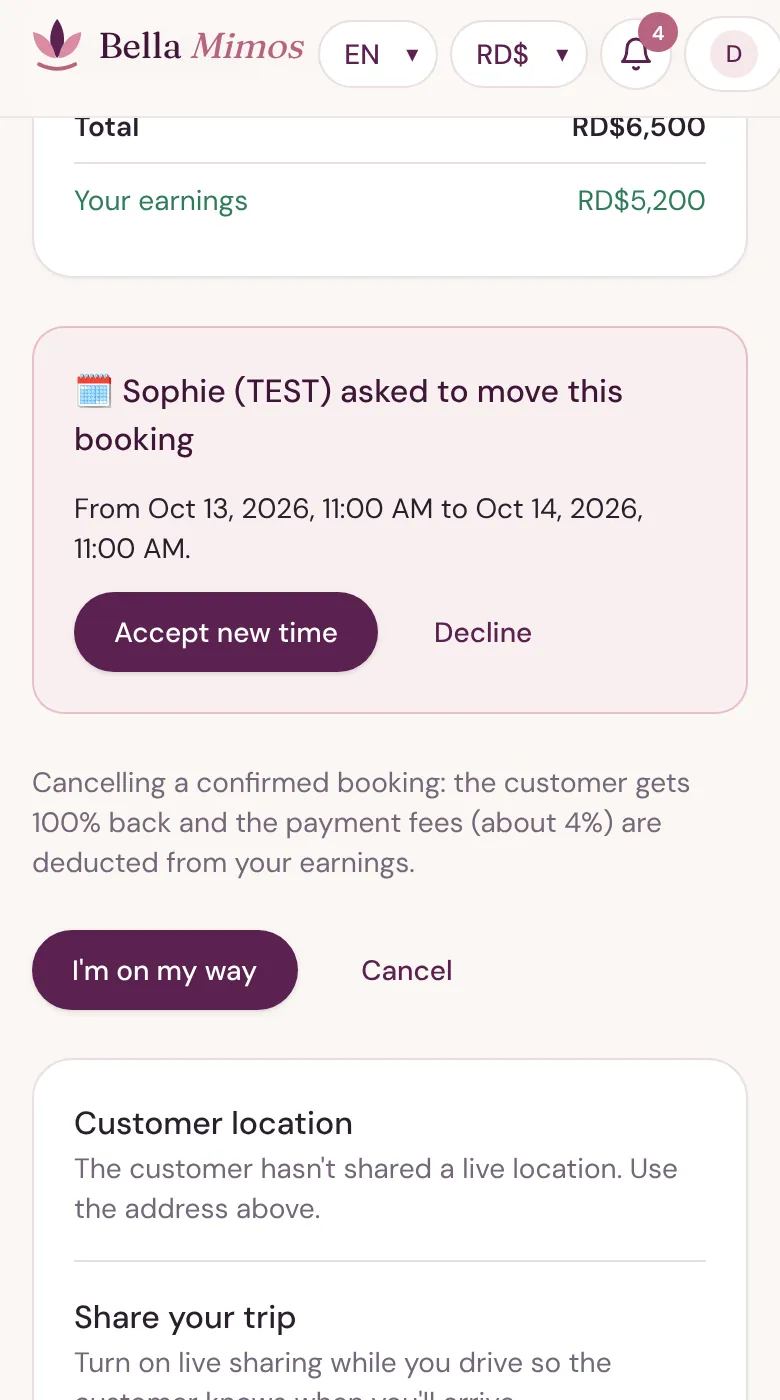
1When a customer asks to move a booking
- The customer can only pick a new time 24 hours or more ahead. The booking keeps its original time until you answer.
- Tap Accept new time or Decline.
| Who | When | What happens |
|---|---|---|
| Customer cancels | 24 hours or more before | The customer gets 100% back. |
| Customer cancels, or isn't there when you arrive | Less than 24 hours before | The customer gets 90% back. Bella Mimos keeps 10% to cover card costs; there is no payout to you for that booking. |
| You cancel a confirmed booking, or don't show up | Any time | The customer gets 100% back and the payment fees (about 4%) are deducted from your earnings. |
| You decline a request | Before accepting | Free. |
Missed appointments: not showing up, or cancelling an accepted booking less than 1 hour before it starts, counts as a missed appointment. Three missed appointments suspend your account. If you can't make it, cancel as early as possible and message the customer.
Earnings and payouts
You keep 80% of your service prices, plus 100% of transport and tips. Bella Mimos keeps 20% of the service price only.
1See what you've earned
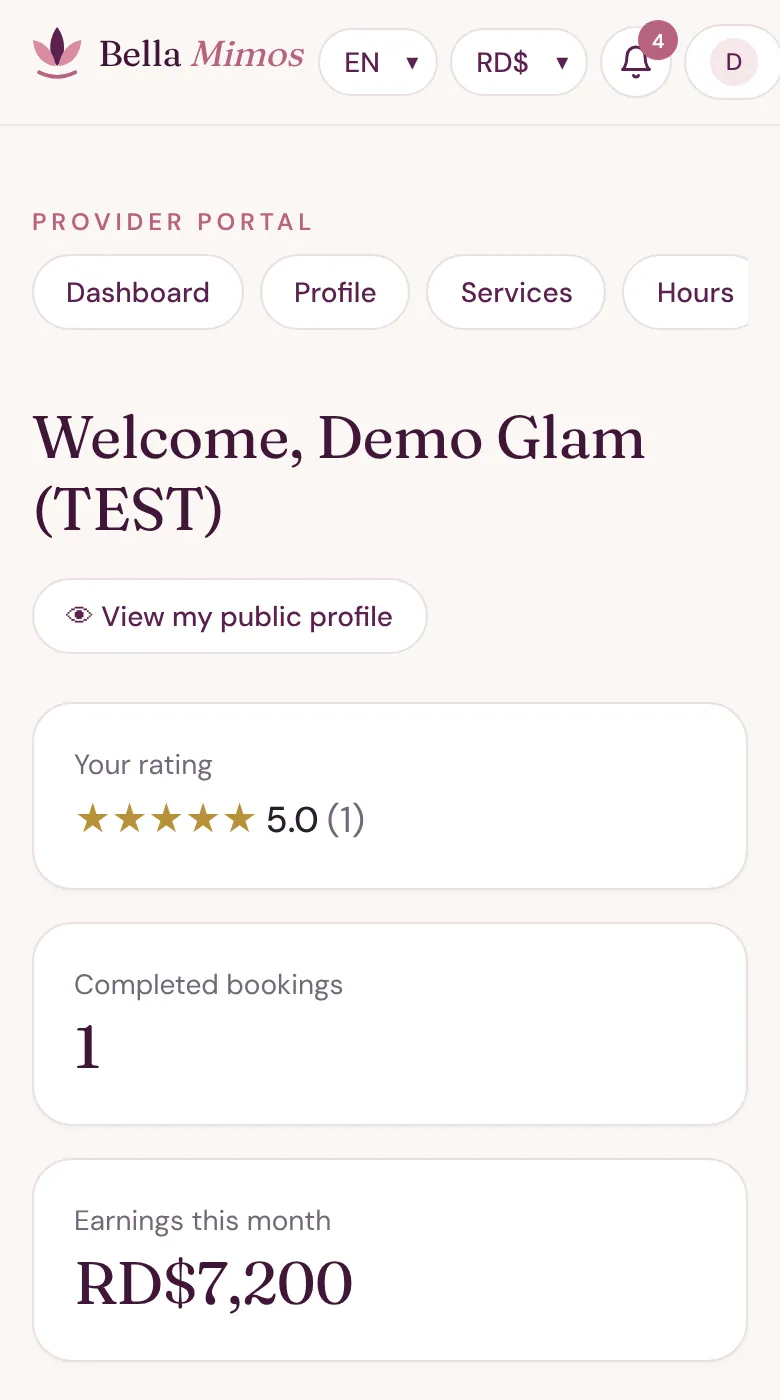
- Your Dashboard shows your rating, completed bookings and Earnings this month. Each booking also shows Your earnings.
- Payouts go to the bank account in Payouts.
- For your first 3 months on Bella Mimos, payouts are monthly. After 3 months you can switch to weekly payouts; just ask us.
| Example booking | Amount |
|---|---|
| Service price | RD$3,000 |
| Bella Mimos commission (20%) | − RD$600 |
| Transport | + RD$500 |
| You earn | RD$2,900 |
Frequently asked questions
Joining
Does it cost anything to join?
No. Joining is free. Bella Mimos keeps 20% of the service price only when you complete a booking.
How long does approval take?
Once your checklist is complete, our team reviews your documents and lets you know as soon as your profile is live.
Do I need anything special to work as a nanny or carer?
Yes: a police clearance certificate, uploaded with your other documents before approval. This applies to childcare and eldercare.
What do I need for homeopathy or natural health?
A certificate of your training or qualification, uploaded with your other documents before approval.
Can I work in an area that isn't listed?
Ask us at hola@bellamimos.com. We add new cities and neighbourhoods regularly.
Profile and prices
Do I have to write my profile in four languages?
No. Write it in Spanish and tap Translate automatically. Do read the translations: a quick check catches odd phrasing.
Can I set prices in dollars or euros?
No. You always price in Dominican pesos. Customers can pay in pesos, US dollars or euros, and we handle the conversion.
Which transport option should I choose?
We recommend Included in my prices: customers prefer one clear price. If you'd rather charge separately, Ride-app fare is the simplest; we work it out for each trip.
Do you take commission on transport or tips?
No. The 20% applies only to the service price. Transport and tips are 100% yours.
What does the 🎓 icon mean?
The customer chose to learn while you cook, on a cooking service you marked I can teach you.
Bookings and payments
What if a customer cancels at the last minute?
Within 24 hours of the booking, the customer pays a 10% fee that Bella Mimos keeps to cover card costs. You don't receive a payout for that booking.
What if I need to cancel?
Cancel as early as you can and message the customer. The customer gets 100% back and the payment fees (about 4%) are deducted from your earnings. Cancelling less than 1 hour before, or not showing up, counts as a missed appointment; three suspend your account.
When do I get paid?
Monthly for your first 3 months. After that you can switch to weekly payouts.
Is my bank information safe?
Yes. It's encrypted, only the last 4 digits are shown, and every time our payments team views it, it's recorded.
How do I get booking alerts?
By text message to the mobile number in your profile. WhatsApp alerts are coming soon.
Still need help?
Write to the Bella Mimos team and we'll get back to you.